
If a Hold A request placed by staff or patrons for materials to be picked up at a selected location (see Pickup Library).
A request placed by staff or patrons for materials to be picked up at a selected location (see Pickup Library).
A request placed by staff or patrons for materials to be picked up at a selected location (see Pickup Library).
Pull up the Bibliographic record
A request placed by staff or patrons for materials to be picked up at a selected location (see Pickup Library).
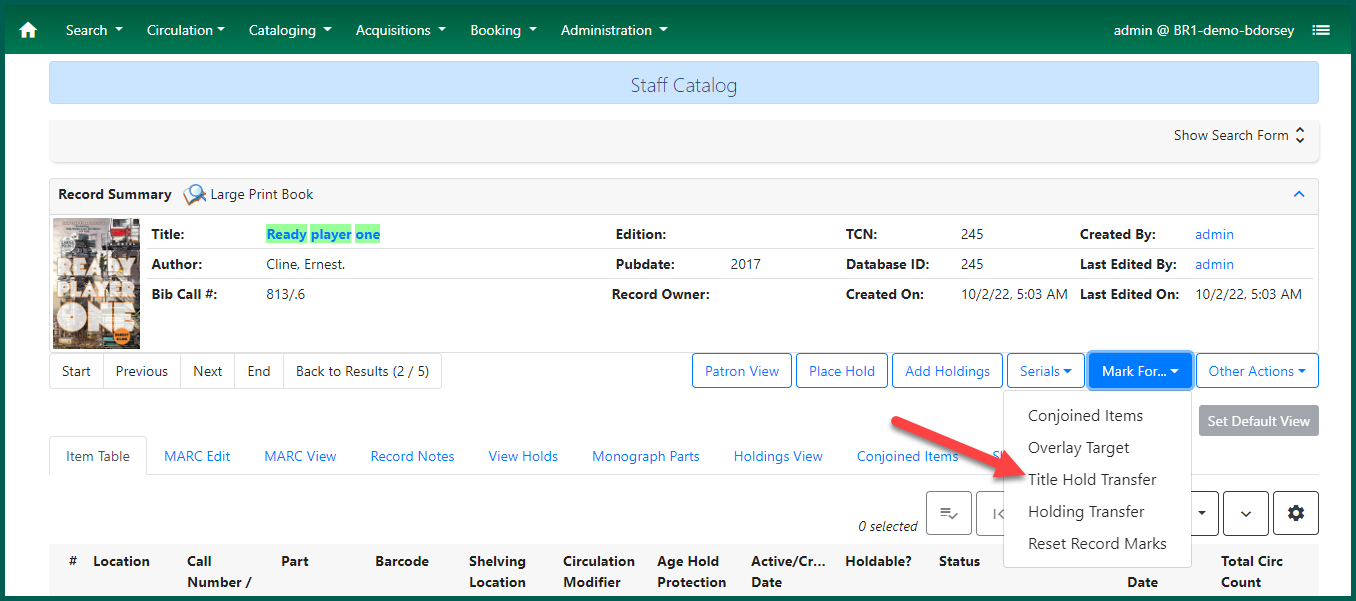
A brief confirmation notification will appear in the bottom right of the browser.

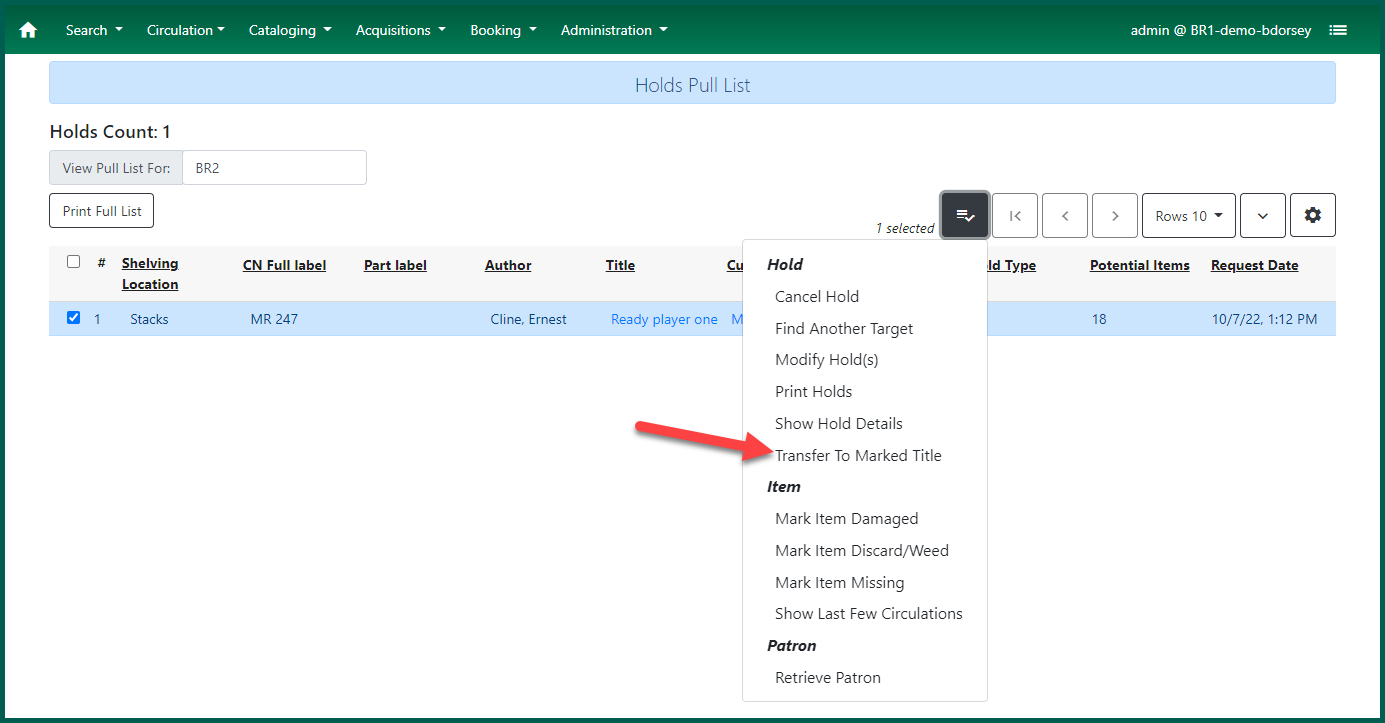
Return to the Pull List or the Holds tab of the Patron
A request placed by staff or patrons for materials to be picked up at a selected location (see Pickup Library).
Confirm the destination of the transferred Hold A request placed by staff or patrons for materials to be picked up at a selected location (see Pickup Library).
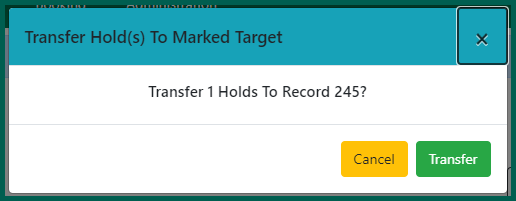
The holds list should reload automatically with the newly targeted item for the Hold A request placed by staff or patrons for materials to be picked up at a selected location (see Pickup Library).